
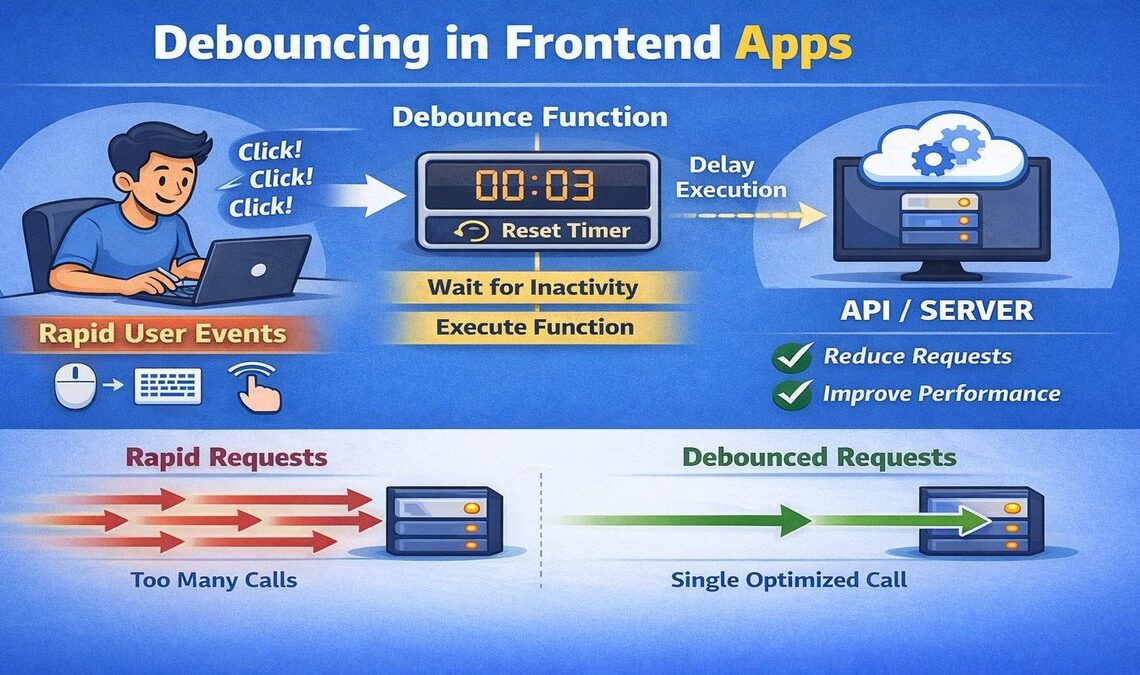
What is Debouncing ?
Debouncing is a technique to delay the execution of a function until a certain amount of time has passed since it was last called.
It ensures the function runs only once, after rapid repeated calls stop.
Example of Debouncing:
Imagine a search form where users type to find results. If we send a network request after every keystroke, it can quickly become inefficient and costly.
To fix this, we use a technique called debouncing. It waits for a short pause after the user stops typing. If the pause is longer than a set time (like 300ms), only then do we send the API request. This helps reduce the number of unnecessary calls and improves performance.
Implement Debouncing Function in JavaScript
This code snippet implements a debouncing mechanism in JavaScript, which is useful to limit how often a function is executed. Let’s go through it step-by-step:
1. Function to Be Debounced
					function myFunc(msg) {
    console.log("Using " + msg);
}
This is a simple function that takes a string msg and logs it to the console.
2. Debounce Wrapper Function
This is the core debounce function that takes:
func: the original function to debounce (myFunchere),delay: time to wait before callingfunc(2000 ms = 2 seconds in this case).
					function debouncedFunc(func, delay) {
    let timeoutId;
    return function(...args) {
        clearTimeout(timeoutId);
        timeoutId = setTimeout(() => {
            func.apply(this, args);
        }, delay);
    };
}
timeoutIdkeeps track of the current timer.It returns a new function that:
Clears any existing timeout (cancels any previously scheduled function call),
Starts a new timeout that will execute
funcafter thedelay.
The result is that the function execution is postponed until no new calls are made for the delay period.
3. Create a Debounced Function
We now have a version of myFunc that is debounced: it will only run 2 seconds after the last time it was called.
const debouncedFuncCall = debouncedFunc(myFunc, 2000);
4. Calling the Debounced Function
					debouncedFuncCall("Inp1");
debouncedFuncCall("Inp2");
debouncedFuncCall("Inp3");
These calls are made in quick succession (immediately one after the other). What happens:
debouncedFuncCall("Inp1"): sets a timeout for 2 seconds.debouncedFuncCall("Inp2"): cancels previous timeout, sets a new one for 2 seconds.debouncedFuncCall("Inp3"): cancels previous timeout, sets a new one for 2 seconds.
Result:
In this example, only the final call to the debounced function (debouncedFuncCall) executes, and only after a 2-second pause since the last call. Here is the ouput:
Using Inp3