
No products in the cart.
Introduction to Single Sign-On (SSO)
SSO is an authentication method that allows users to access multiple applications and services with a single set of credentials.
- SSO is built on a concept called federated identity. It enables sharing of identity information across trusted but independent systems.
- With SSO, users can access many apps without having to log in each time. Like a gmail user can switch between multiple apps of Google like Google Map, Google Drive, Calendar, Google Forms etc.
Examples of Single Sign-On (SSO)
There are many real-world examples of applications that use Single Sign-On (SSO).
Google Workspace (Gmail, Drive, Docs, etc.)
Microsoft 365 (Outlook, Teams, OneDrive, etc.)
Atlassian (Jira, Confluence, etc.)
AWS (Amazon Web Services) offers SSO through AWS IAM Identity Center.
Protocols for Single Sign-On (SSO)
Single Sign-On (SSO) is made possible by several authentication and authorization protocols that securely handle identity verification across systems.
🔐 1. SAML (Security Assertion Markup Language)
Type: XML-based authentication protocol
Use Case: Enterprise SSO (e.g., corporate logins to apps like Salesforce, AWS)
Flow:
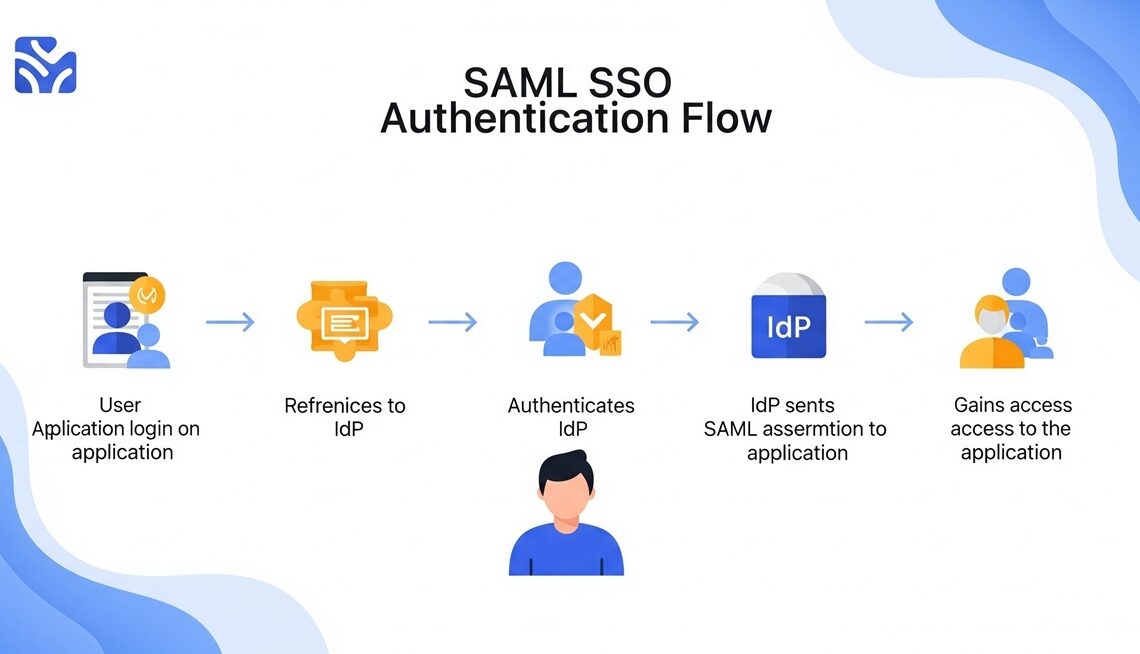
User tries to access a service provider (e.g., Salesforce).
Gets redirected to the identity provider (e.g., Okta).
Identity provider authenticates the user and sends a SAML assertion.
Service provider grants access.
Pros: Mature, widely supported in enterprise.
Cons: XML-based and more complex; less friendly for mobile apps.
🔓 2. OAuth 2.0 (Open Authorization)
Type: Authorization framework (not strictly authentication)
Use Case: Used by APIs and third-party apps for delegated access (e.g., “Login with Google”)
Flow:
App redirects user to OAuth provider (e.g., Google).
User authorizes access.
Provider sends an access token back to the app.
Pros: Lightweight, widely supported, ideal for APIs.
Cons: Not originally designed for authentication (often used with OpenID Connect).
🧾 3. OpenID Connect (OIDC)
Type: Identity layer built on top of OAuth 2.0
Use Case: Authentication and SSO (e.g., Google SSO, Microsoft SSO)
Flow:
Follows OAuth flow but adds an ID token (JWT) for authentication.
App can validate who the user is.
Pros: Simple, mobile-friendly, uses JSON Web Tokens (JWT).
Cons: Slightly newer; not always supported in older enterprise apps.
🗝️ 4. Kerberos
Type: Network authentication protocol
Use Case: Windows domain authentication (e.g., internal corporate networks)
Flow:
User logs in once.
Kerberos issues tickets that can be reused to access multiple services.
Pros: Highly secure, used in traditional enterprise networks.
Cons: Complex to configure; mostly used within internal networks.
A Typical SSO login flow
1. User Accesses Application
User visits an app (e.g., Gmail or Salesforce).
The app is the Service Provider (SP).
2. SP Redirects to Identity Provider (IdP)
SP detects this is a corporate user.
SP creates a SAML Authentication Request.
The browser is redirected to the Identity Provider (IdP) (e.g., Okta, Auth0, OneLogin).
3. User Authenticates with IdP
If not already logged in, user enters credentials at the IdP login page.
IdP verifies the user’s identity.
4. IdP Sends SAML Response to SP
IdP creates a SAML Response containing a signed authentication assertion.
The browser posts the response back to the SP’s Assertion Consumer Service (ACS) URL.
5. SP Grants Access
SP validates the SAML assertion (signature, timestamps, audience, etc.).
If valid, the user is authenticated and granted access to the app.
Also See: SAML SSO Authentication Flow Explained
Building a SSO System?
If you’re building or integrating an SSO system in a new web application, integrating with some of the more popular OpenID Connect platforms like Google, Facebook, and Github is probably a great choice.